“What’s In The Freezer?”
It’s 5:30pm. Everyone’s hungry. Someone opens the freezer, stares into it for a solid thirty seconds, wondering what all this stuff is, and then closes it again.

We’ve all been there. And that moment - that tiny, daily bit of friction - is exactly the sort of thing Power Platform is brilliant at fixing.
It’s Not Just For Work
We tend to put Power Platform in a box marked “work”. Enterprise apps, approval flows, Dataverse, governance - all important stuff.
But the skills don’t care where you use them. If you can automate a business process, you can automate a community process. And if you can automate a community process, you can absolutely automate the question of what’s for dinner.
So here are three places I use it: at work, in the community, and at the kitchen table.
At Work: Customer Onboarding
My day job is in Customer Success, and onboarding is where first impressions are made. Get it right and a customer feels looked after from day one. Get it wrong and you spend months recovering.
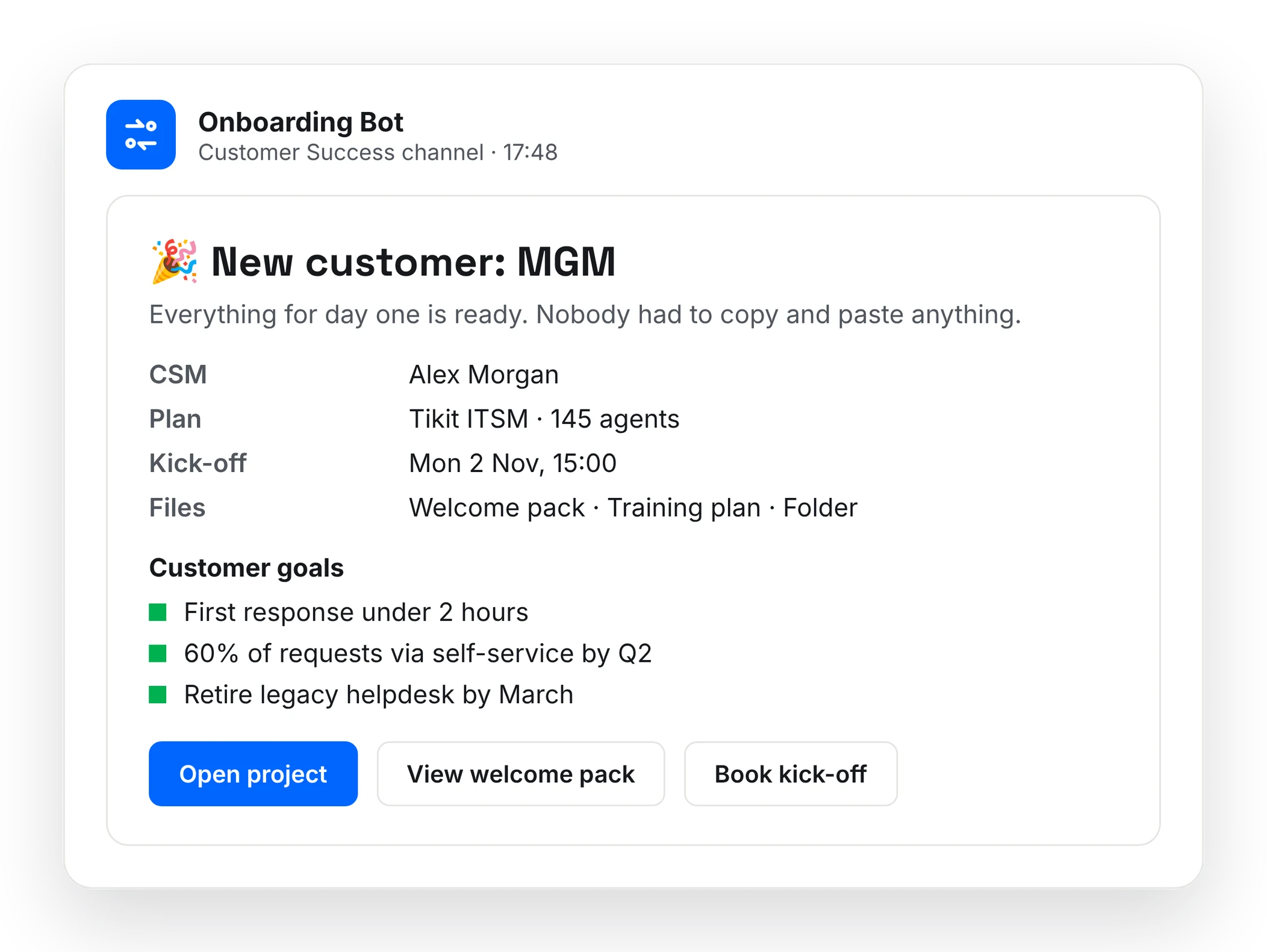
The problem with onboarding is that it’s full of small, repeatable steps - welcome emails, setting up the right records, making sure the right people know what’s happening and when. None of it is hard. All of it is easy to forget. We need to send a welcome email, create the customer onboarding and training docs, extract customer goals from email and meeting transcripts and finally, communicate all this with the whole team so we’re all on the same page.
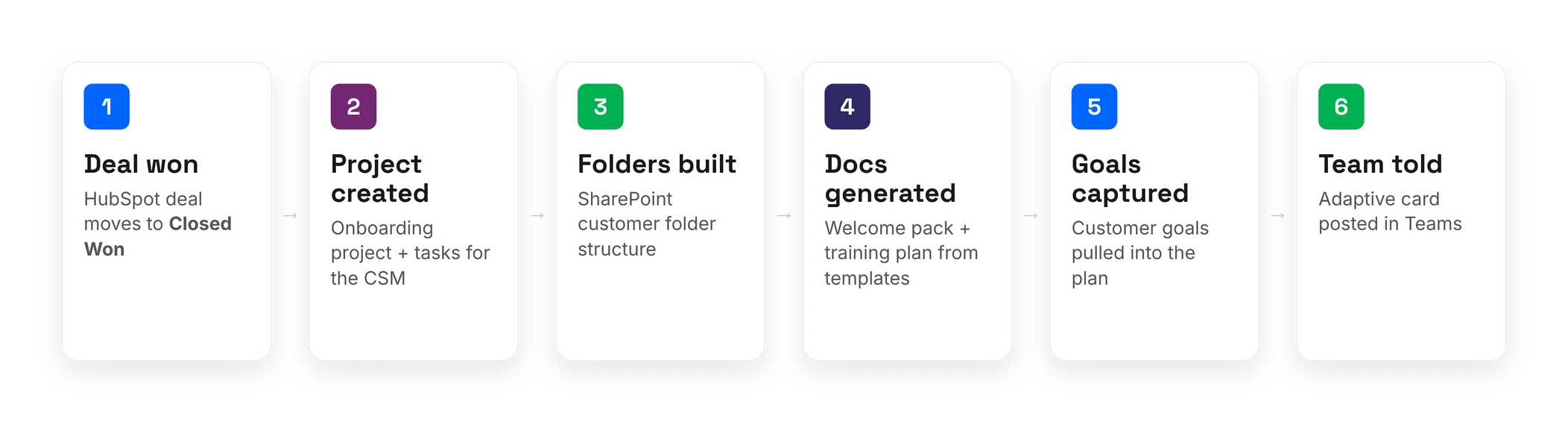
Building a Power Automate flow to do these steps consistently every time saves a lot of time whenever we onboard a new customer. AI is used in several of the steps eg to extract customer goals from emails and transcripts, but the steps of the workflow remain deterministic making Power Automate an excellent choice.
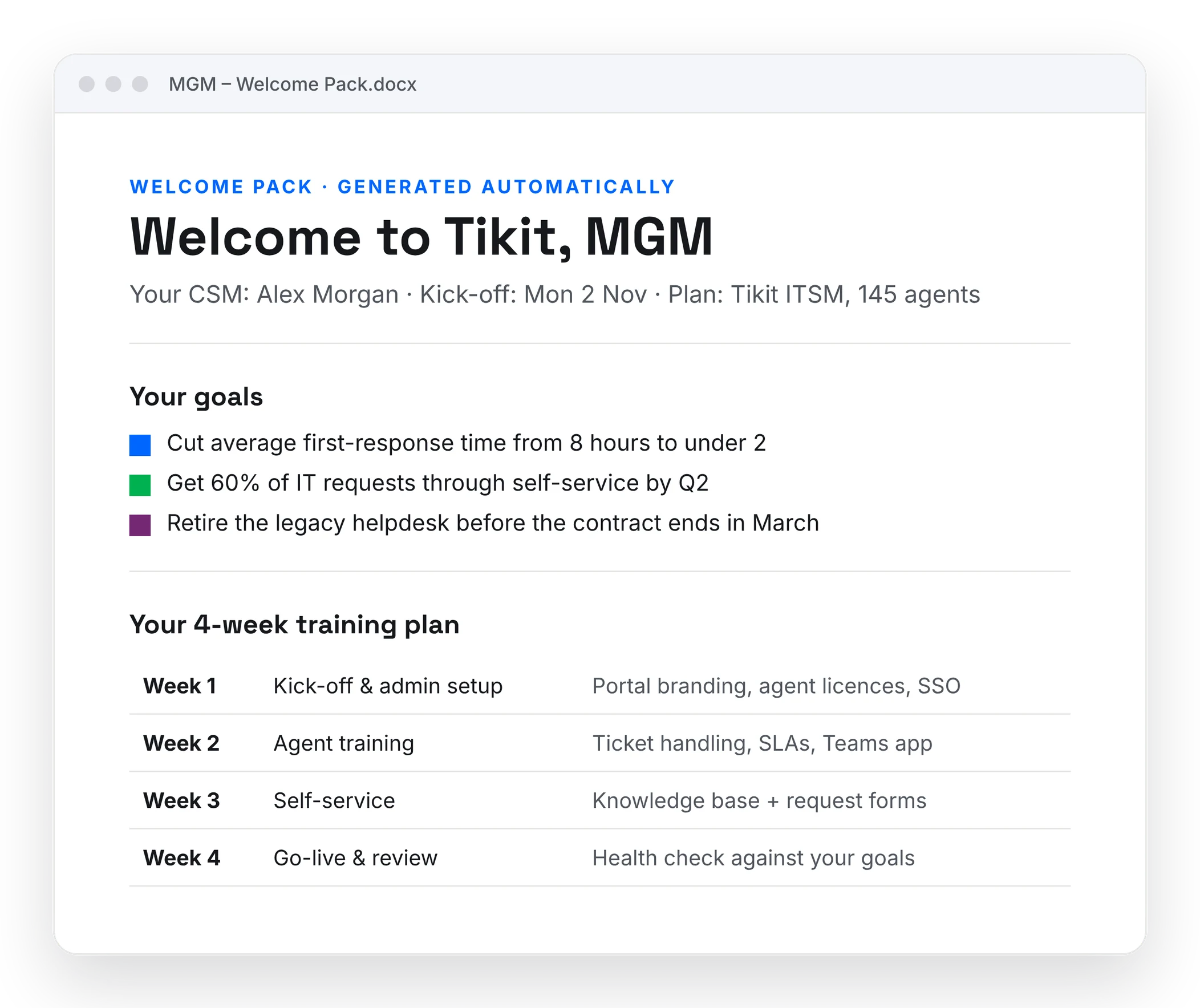
The win wasn’t really the time saved, though there was plenty. It was consistency. Every customer gets the same great start, and nothing gets missed, no matter who’s having a busy week. This means that everyone in the Customer Success team is completely on the same page with what is going on with each customer.
In the Community: Speaker Submissions
As one of the organisers of Experts Live UK, I see the other side of the conference stage - the call for speakers. Submissions come in, they need tracking, reviewing and responding to, and it’s all done by volunteers fitting it around their day jobs.
Although every session is reviewed manually by multiple people, the task of categorising them into tracks and levels can be done by AI to make the review process a lot more efficient. This also ensures we have the right mix of topics and levels to ensure the conference is inclusive by having fantastic content for everyone.
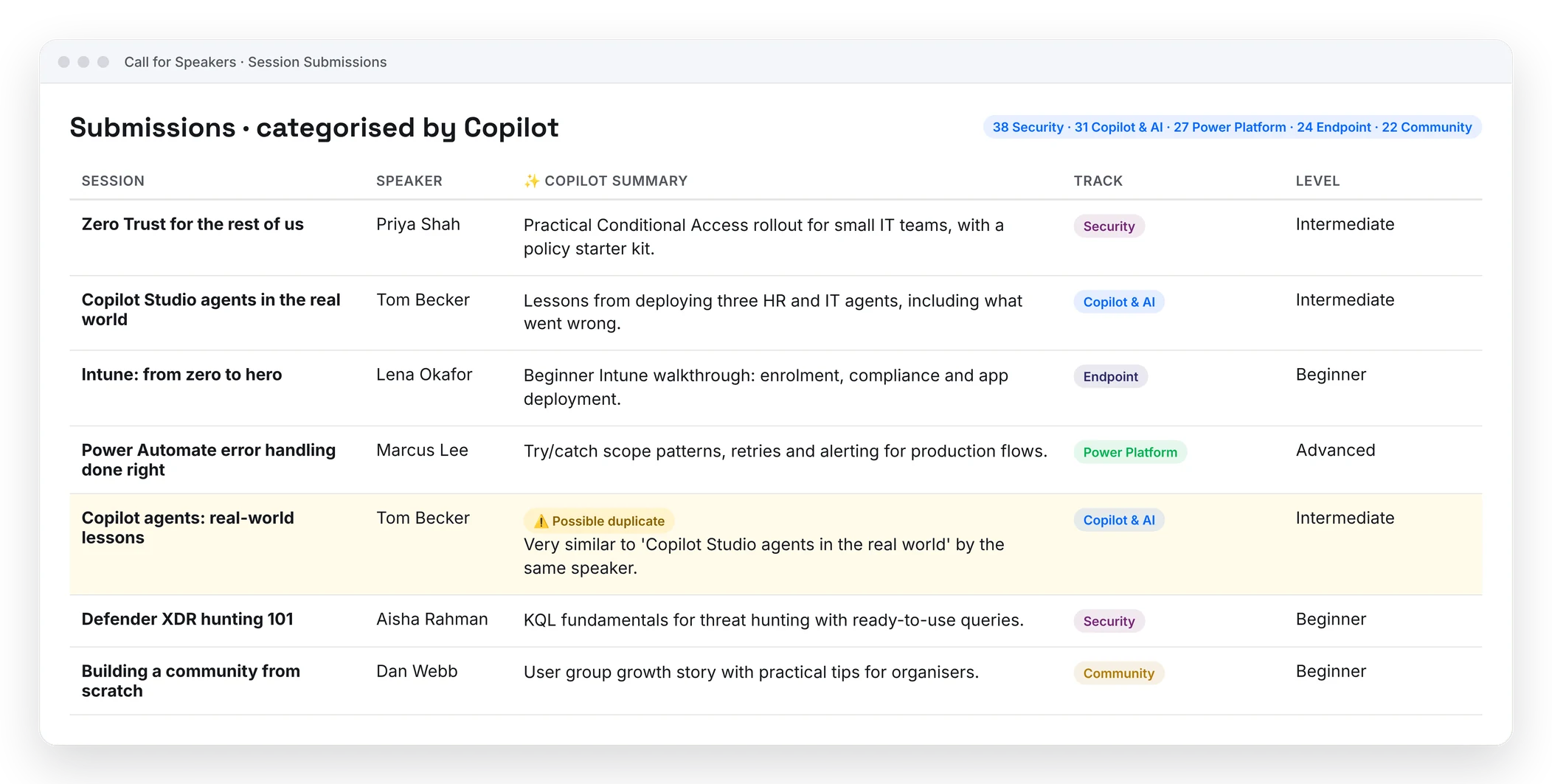
Using a Copilot Agent to do this whenever a Session Submitted email arrives saves that manual effort and means we are ready for the full manual review right away. Further, duplicate sessions can be detected, either by the same speaker twice (probably by mistake) or, more likely, by two different speakers with similar ideas. This allows us to do what we do best - link speakers together for even better and deeper content and the opportunity to help mentor and coach less experienced speakers.
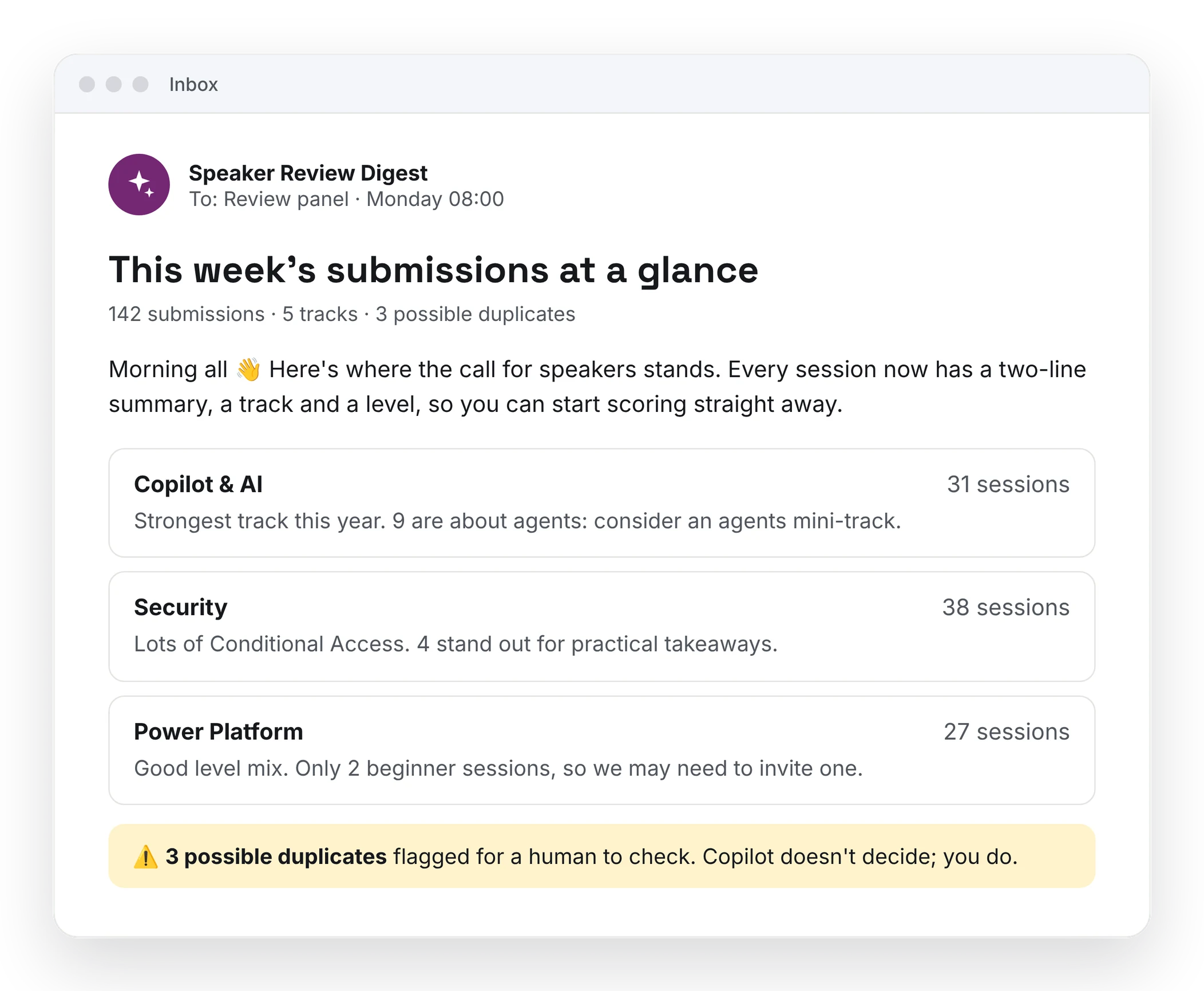
With lots of information and little time (I know, hats everyone’s problem) a Copilot Agent is the perfect solution. Community events run on goodwill and spare evenings. Anything that gives those evenings back is worth building.
At the Kitchen Table: The Freezer Tracker
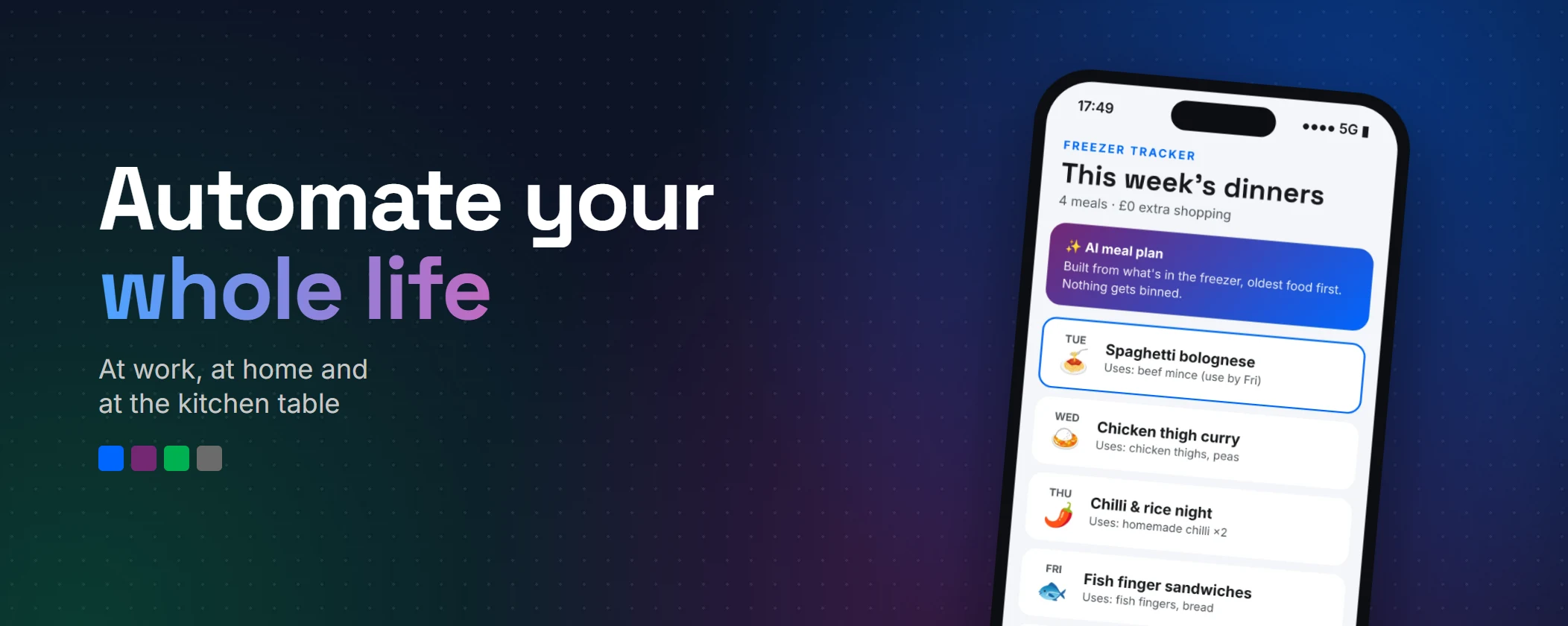
And then - the freezer. Who can every remember what in it? And when is dinner time you are rummaging through ziplock backs and Tupperware boxes of soup, leftover chilli and who on earth knows what else? How long has it been there? Is it good to eat? Is someone else planning on eating it later?
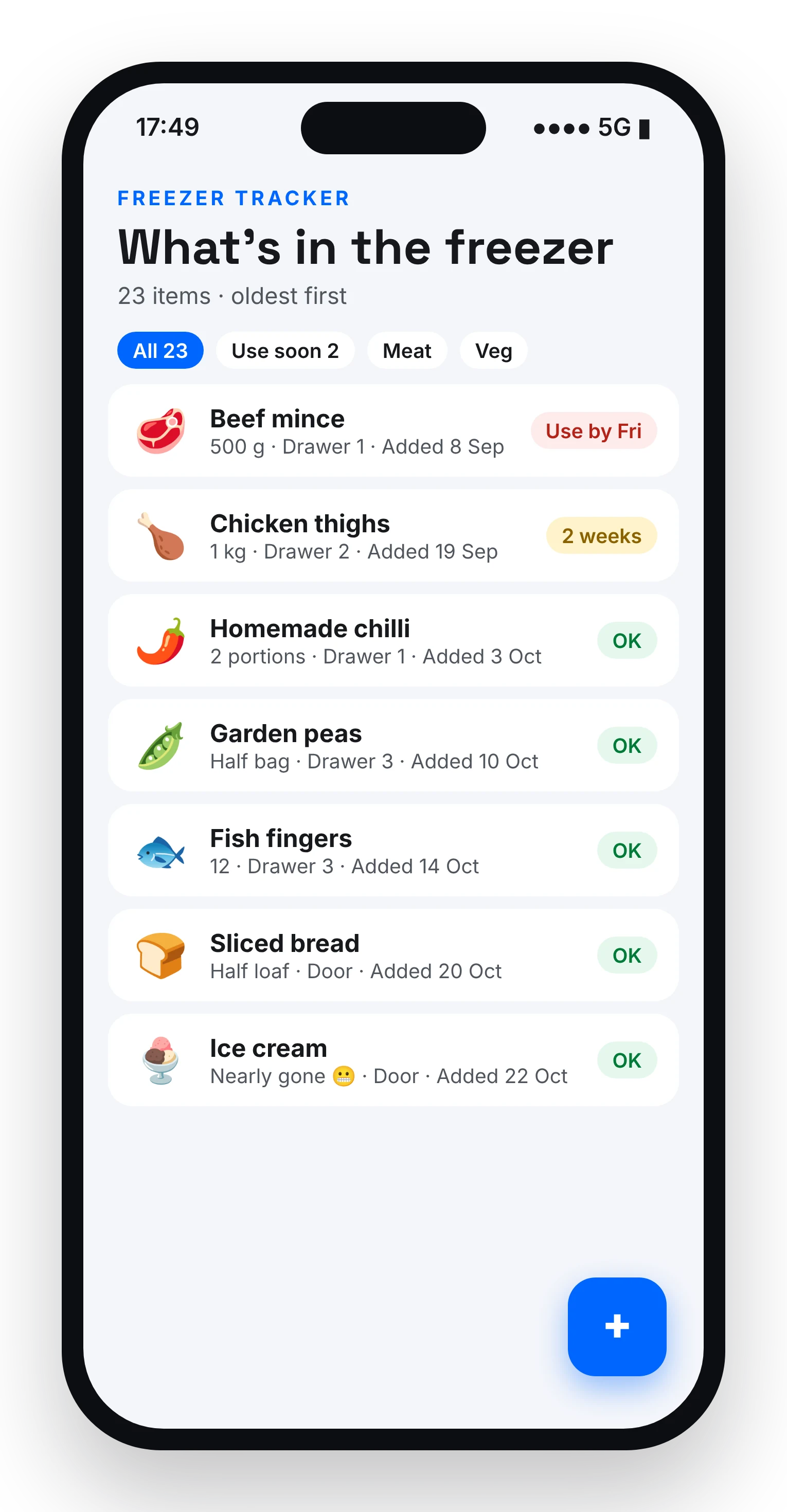
I built a simple Power App to track what’s actually in freezer. Add things as they go in, remove them as they come out. Nothing clever. Just a list that’s finally right.
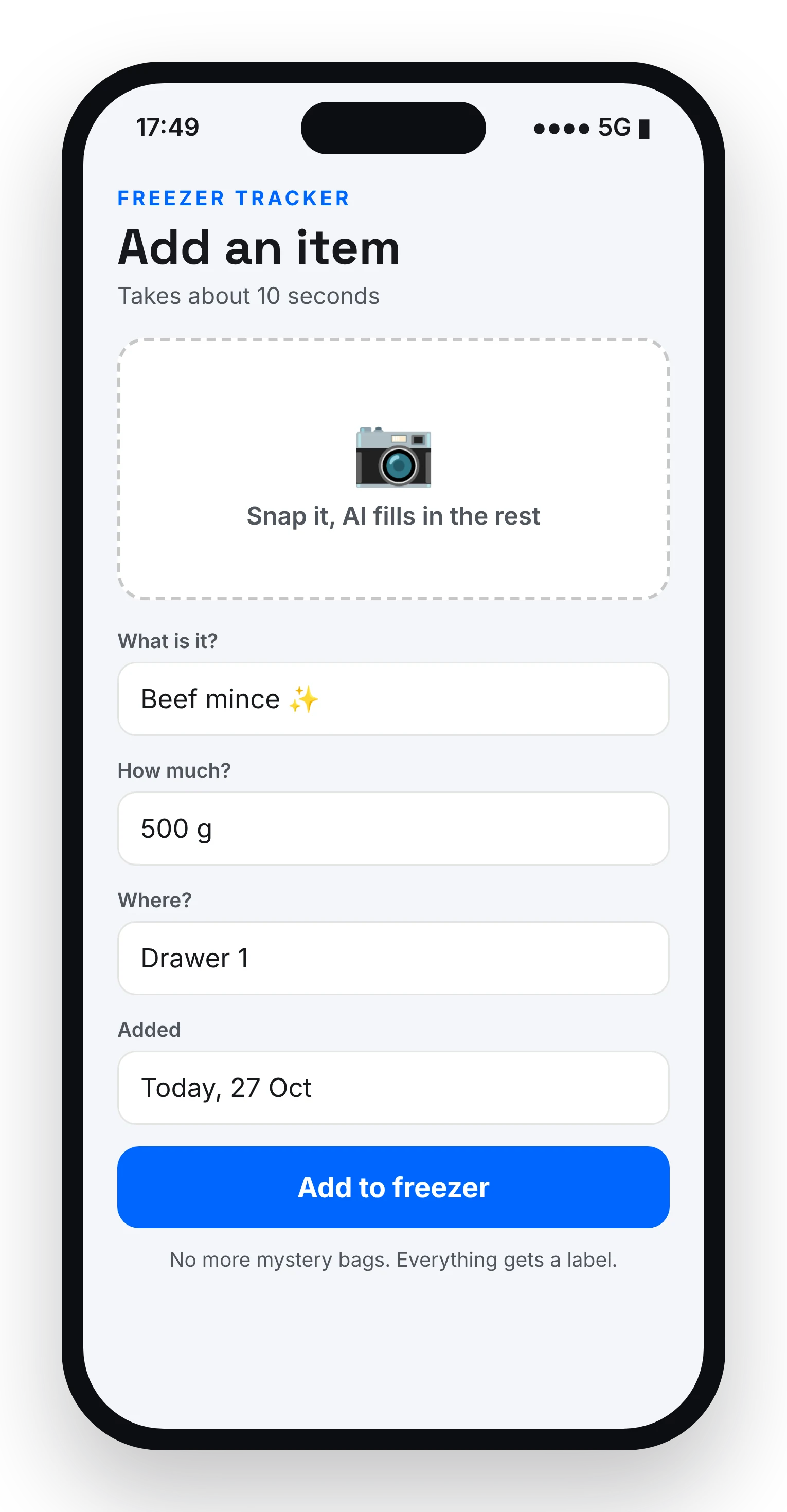
Then I got a bit carried away. Because once you know what food you’ve got, the next question is obvious: what can I cook with it? So the app now uses AI to suggest meal plans based on what’s in there - using up the things that have been lurking at the bottom and need eating up soon!
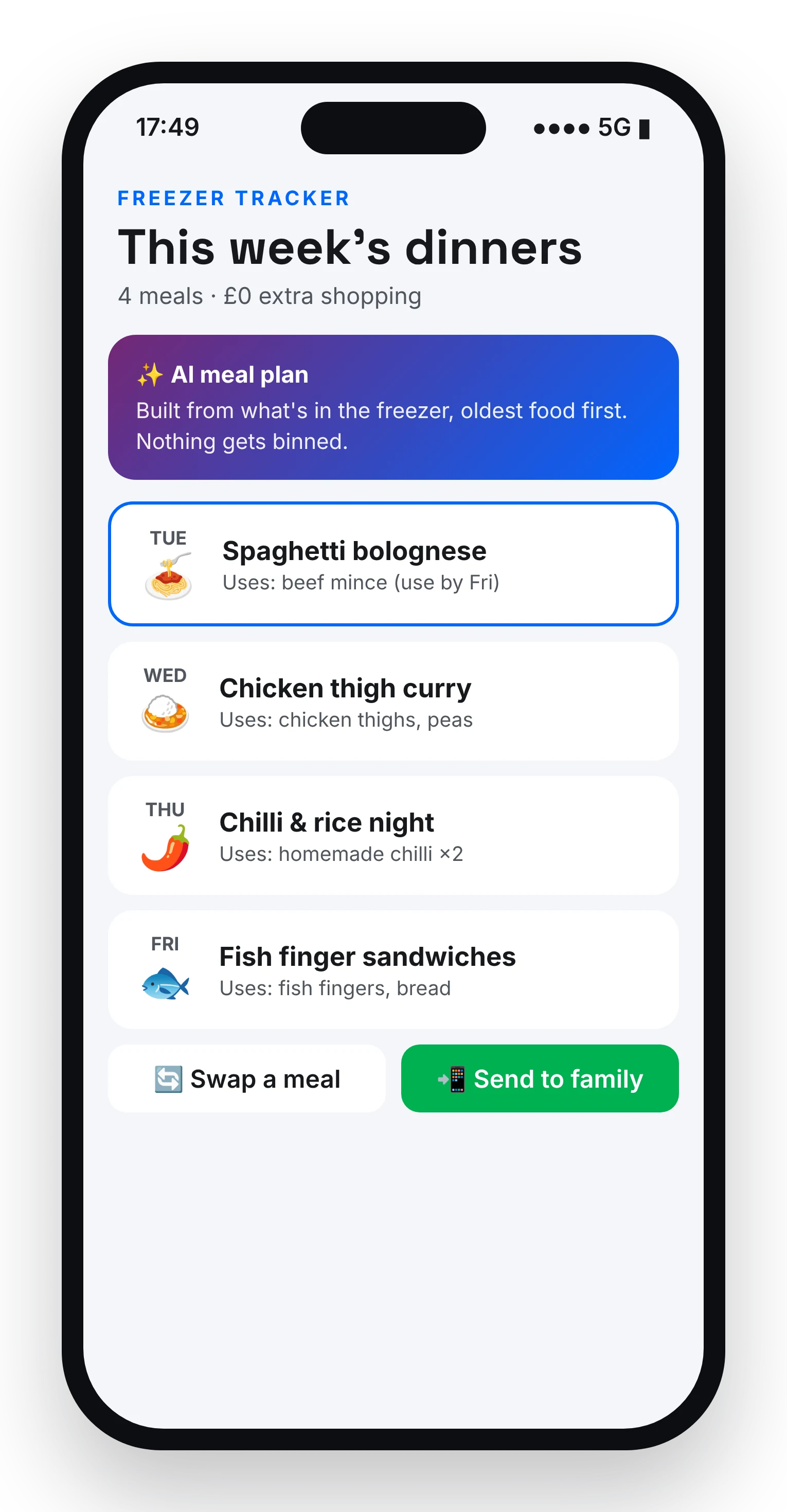
It’s the least “enterprise” thing I’ve ever built. It’s also the one I use most. When there’s data to add, organise and display, a Power App is the ideal solution.
Start With the Friction
If there’s one thing I’d want you to take from this, it’s: start with the friction.
Not the technology. Find the small, annoying, repeated thing - at work, in your community, or at home - and fix that.
A few questions worth asking yourself:
- What do I do every week that feels like copy and paste?
- What do I forget, and then have to chase?
- What question gets asked in my house more than any other?
You’ll learn more building a freezer tracker for your family than you will from any number of tutorials. Because you’ll actually care whether it works.
Thank you to my family, for being the most honest user acceptance testers I’ve ever had.
Now go automate something.